

Key Takeaways (TL;DR)
The Best Overall Phone Enrichment Tools: BetterContact stands out for aggregated coverage, since it runs its own internal waterfall across multiple providers to find the best match. ZoomInfo remains the strongest pick for enterprise teams that already have SSO, budget, and a large user base baked into their stack.
Why Do You Need It?: Email alone gets a rep in front of a lead, but a direct dial or mobile number often closes the gap between an inbound signal and an actual conversation. Phone data is expensive to source, so it works best once a lead is already qualified.
Who It's For?: RevOps teams building a phone data waterfall in Clay, enterprise teams on ZoomInfo, and anyone chasing hard-to-find contacts where general databases fall short.
How to Choose the Right One?: Check how each provider verifies direct dial versus mobile versus company HQ numbers, confirm coverage for your target region, and compare credit-based pricing against your actual monthly volume.
Expected Price: Entry-level phone enrichment tools start around $15 to $41 per month, while enterprise-grade B2B phone number data platforms like ZoomInfo start around $15,000 per year.
Table of Contents
What Are Phone Enrichment Tools?
Why Do Teams Need Phone Enrichment Tools?
Who Needs Phone Enrichment Tools?
Best Phone Enrichment Tools in 2026: In-Depth Review and Comparison
How to Choose the Best Phone Enrichment Tools (What To Consider)?
Everything You Need to Know About Phone Enrichment Tools
Automate Phone Enrichment & Launch Your Outbound with The GTM Engineering Company
FAQs About Phone Enrichment Tools
Top Phone Enrichment Tools in 2026 at a Glance
Tool | Best For | Key Features | Pricing |
BetterContact | Teams that want aggregated waterfall coverage | Built-in waterfall across multiple direct dial providers | From $15/month |
ZoomInfo | Enterprise teams already standardized on one platform | CRM-integrated direct dials, phone lookup, broad B2B data | Custom, from ~$15K/year |
Apollo.io | Teams that want enrichment and outbound in one platform | Phone data plus sequencing, dialer, Chrome extension | Free plan, from $49/seat/month |
Prospeo | Teams that want tiered, per-user pricing | Mobile number enrichment, CRM features, credit rollover | Free plan, from $37/user/month |
Clay | Teams building a phone data waterfall themselves | Phone number waterfall, provider verification, CRM sync | Free plan, from $167/month |
ContactOut | Teams chasing hard-to-find or niche contacts | Unlimited email and phone lookups on paid plans | Free plan, from $49/month |
Lusha | SDRs prospecting manually with intent data | Browser extension, buying intent data, API access | Free plan, from $32.45/month |
Firmable | Teams needing region-specific coverage, especially Australia | Annual profile credits, API access, SSO on Enterprise | From $55/user/month |
LeadMagic | Budget-conscious teams on annual billing | Tiered annual credits, two months free on yearly plans | From $41/month |
TitanX | Teams prioritizing likelihood to answer over raw coverage | Impact-based credit pricing, custom pilot | Custom, 30-day paid pilot |
What Are Phone Enrichment Tools?
Phone enrichment tools take a contact record and return a working phone number attached to it. While the input is usually a name, company or LinkedIn URL; the output might be a direct dial, mobile line, or in some cases a company HQ number routed through switchboards.
The category sits close to mobile enrichment and broader B2B phone number data providers; since most tools blend several data sources to fill the gaps a singular database can't cover.
Some tools like ZoomInfo package the phone data inside a large CRM-integrated platform, others (like Clay) let you build your own phone data waterfall across multiple providers.
In the end, it depends on the user to choose which data provider or source they want to trust for each market.
Why Do Teams Need Phone Enrichment Tools?
Here's the caveat most guides skip: phone data is expensive to source. It gets more expensive the harder a contact is to find.
Running every lead through a phone enrichment tool before you know if it's worth pursuing burns the budget fast.
The smarter sequence follows a simple order:
Confirm your data-driven ICP → Confirm whether the contact is the right person → Only spend credits once their direct dial or mobile number is found.
That same logic applies to outbound calling too.
If you're weighing whether a number is worth dialing at all, the best AI cold calling software picks generally assume you've already done this qualification step.
Once a lead clears that bar, the reasons to enrich get straightforward:
Email response rates keep dropping
A direct dial or mobile number often gets a rep an actual conversation instead of a reply days later
For anyone running phone-first outbound, contact phone enrichment isn't optional. It's the step that makes the rest of the sequence possible.
Who Needs Phone Enrichment Tools?
Different teams reach for phone enrichment tools for different reasons, but the pattern usually falls into a few groups.
Here's a closer look at each one:
1. The Waterfall Builder
RevOps teams building their own phone data waterfall inside Clay want control over which provider gets queried first for each market.
This group typically reorders providers based on which API keys they already hold and which providers they trust most for a given industry or region.
2. The Enterprise Buyer
Enterprise teams already standardized on a CRM-integrated platform want direct dials and phone lookup without adding another vendor to the stack.
This group tends to accept a lower refresh rate on the data in exchange for SSO, an existing user base, and budget that's already approved.
3. The Niche Contact Hunter
Teams chasing hard-to-find contacts, like executives at privately held companies or owners of specific properties, need a provider that performs well outside the usual database.
This group cares less about raw coverage numbers and more about whether a tool can actually surface the one number they need.
4. The Global Revenue Team
Teams selling outside the US run into patchy coverage from general-purpose providers once they move into regions like Australia, LATAM, or APAC.
This group increasingly relies on regional specialists built specifically for local direct dial providers, rather than a single global database.
5. The Budget-Conscious Startup
Early-stage teams want mobile number enrichment without committing to enterprise pricing before they know their actual monthly volume.
This group tends to start on a free or low-tier plan, then scale credits up once phone data proves out in their outbound process.
Best Phone Enrichment Tools in 2026: In-Depth Review and Comparison
1. BetterContact
Overview
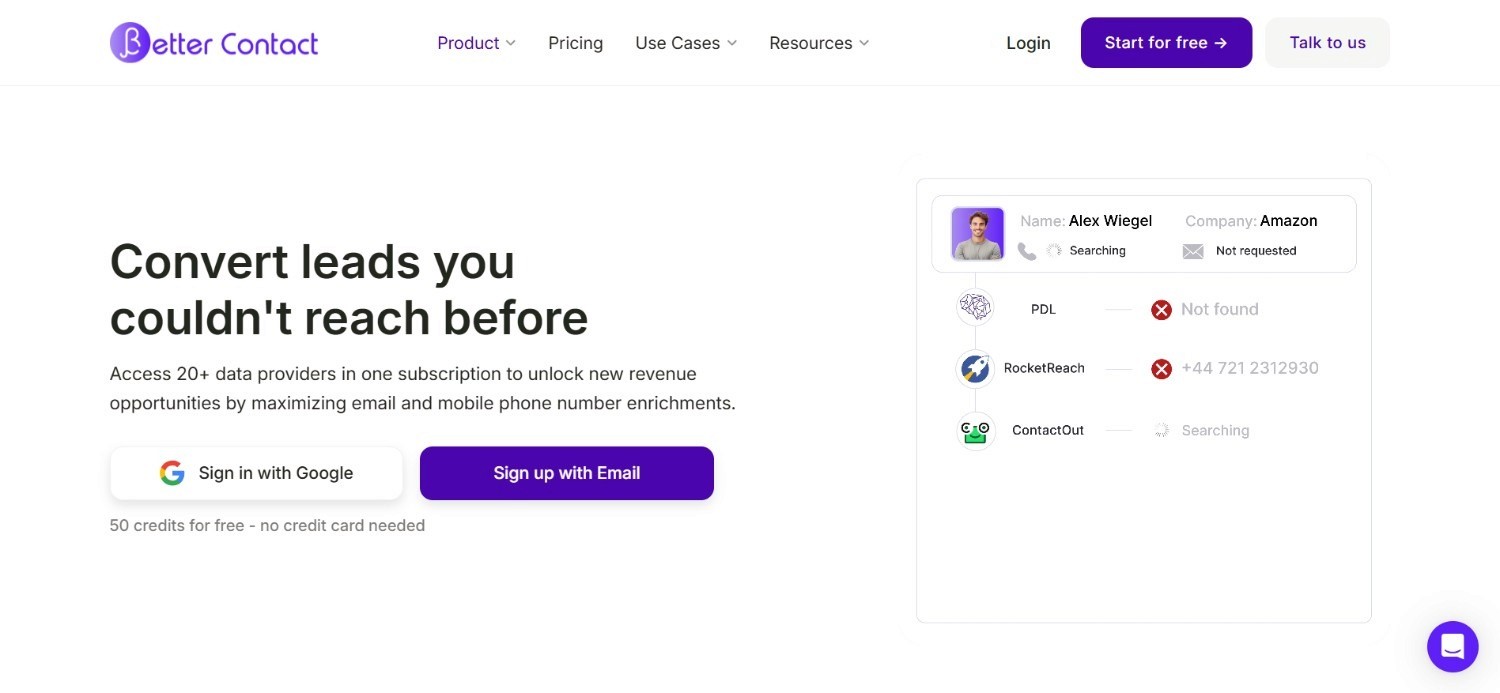
BetterContact is built around aggregated coverage rather than a single proprietary database. Instead of relying on one source of B2B phone number data, the tool runs its own internal waterfall across multiple providers, querying each one in sequence until it finds a working match.
The waterfall approach means BetterContact often surfaces a number where a single-source tool comes up empty, since a miss from one provider doesn't end the search. For teams comparing options purely on hit rate, that aggregation is the main selling point.
The platform also supports bulk enrichment, letting teams process large contact lists at once rather than looking up numbers one at a time.
Ideal For
RevOps teams that want aggregated coverage without managing multiple providers manually
Teams processing bulk contact lists that need phone data at scale
Anyone comparing direct dial providers primarily on hit rate
Top Features
Internal waterfall that queries multiple providers in sequence
Bulk enrichment for processing large contact lists at once
Credit-based pricing that scales with actual usage
Why It Stands Out
BetterContact's built-in waterfall does the provider-sequencing work that many teams would otherwise build manually inside Clay, which makes it a faster starting point for aggregated coverage.
Pros
Aggregated waterfall improves hit rate over single-source tools
Bulk processing suits list-based outbound workflows
Free credits available to test the platform before committing
Cons
Less customization over provider order than building a waterfall yourself
Coverage still depends on the strength of underlying providers
Higher-volume use requires moving up to costlier tiers
Pricing
Starter costs $15 per month for 200 credits, while Pro costs $49 per month for 1,000 credits.
Enterprise starts at $799 per month with custom credit volumes and discounts.
New users get 50 free credits to try the platform first.
Final Verdict
BetterContact is a strong pick for teams that want aggregated coverage without building a waterfall themselves.
Teams needing tighter control over provider order may prefer building that logic directly in Clay.
2. ZoomInfo
Overview
ZoomInfo is built for enterprise teams that want direct dials and phone lookup inside a platform that already integrates with their CRM. Its database spans a large share of the B2B market, covering direct dials, mobile numbers, and company-level contact data in one place.
The key tradeoff is their refresh rate. ZoomInfo's scale means some records lag behind smaller, more specialized providers, so accuracy can vary by contact. What keeps it relevant despite that gap is how enterprise-ready it already is: SSO, a large existing user base, and budget that's typically already approved.
For enterprise teams weighing total cost of ownership, it's often still the easiest to justify.
Ideal For
Enterprise teams that already have ZoomInfo integrated into their CRM
Organizations that need SSO and centralized data governance
Teams that prioritize breadth of coverage over per-contact accuracy
Top Features
CRM-integrated direct dials and phone number lookup
Broad B2B phone number data spanning most industries
Enterprise-grade SSO and user management
Why It Stands Out
ZoomInfo's advantage isn't raw data accuracy; it's how deeply embedded the platform already is inside enterprise sales stacks, which lowers the switching cost most other tools can't compete with.
Pros
Deep CRM integration reduces manual data entry
Enterprise-ready SSO and governance out of the box
Broad coverage across most B2B segments
Cons
Refresh rate on phone records can lag behind smaller providers
Custom pricing makes budgeting harder without a sales call
Overkill for early-stage teams with lower contact volume
Pricing
ZoomInfo uses custom, seat and credit-based pricing, with entry plans starting around $15,000 per year.
Final Verdict
ZoomInfo remains one of the strongest picks for enterprise teams that need phone data inside an existing platform.
Teams chasing accuracy on a specific niche may still want to pair it with a specialized provider.
3. Apollo.io
Overview
Apollo.io combines a large B2B contact database with built-in sequencing, so phone enrichment sits inside the same platform a team already uses for outbound. Direct dials and mobile numbers surface directly on a contact record, alongside email and firmographic data.
That combination appeals to teams who want phone data and outbound execution in one place instead of enriching in one tool and dialing from another.
A Chrome extension pulls contact data straight from LinkedIn, which speeds up manual prospecting for reps who still work leads one at a time alongside their sequences.
Ideal For
Teams that want phone enrichment and outbound sequencing in one platform
Reps who prospect manually using a Chrome extension alongside sequences
Teams comparing broad-database providers on price rather than niche accuracy
Top Features
Direct dial and mobile numbers attached to contact records
Built-in sequencing and dialer alongside enrichment data
Chrome extension for pulling contact data from LinkedIn
Why It Stands Out
Apollo.io's advantage is bundling, since phone data, email data, and outbound sequencing live in the same platform, which removes a handoff step other tools on this list still require.
Pros
Combines enrichment with outbound execution in one tool
Generally lower cost per seat than comparable enterprise platforms
Chrome extension supports manual prospecting workflows
Cons
Broad coverage can trade off against accuracy on niche contacts
Add-ons like extra credits and advanced domains cost extra
Best suited to teams that want enrichment and outbound combined, not separated
Pricing
Apollo.io offers a free plan plus paid tiers billed annually: Basic at $49 per seat per month, Professional at $79 per seat per month, and Organization at $119 per seat per month.
Add-ons like extra credits, advanced email domains, and additional integrations are priced separately.
Final Verdict
Apollo.io is a strong pick for teams that want phone enrichment bundled with outbound sequencing rather than run as a separate step.
Teams prioritizing niche accuracy over bundled convenience may still want a specialized provider alongside it.
4. Prospeo
Overview
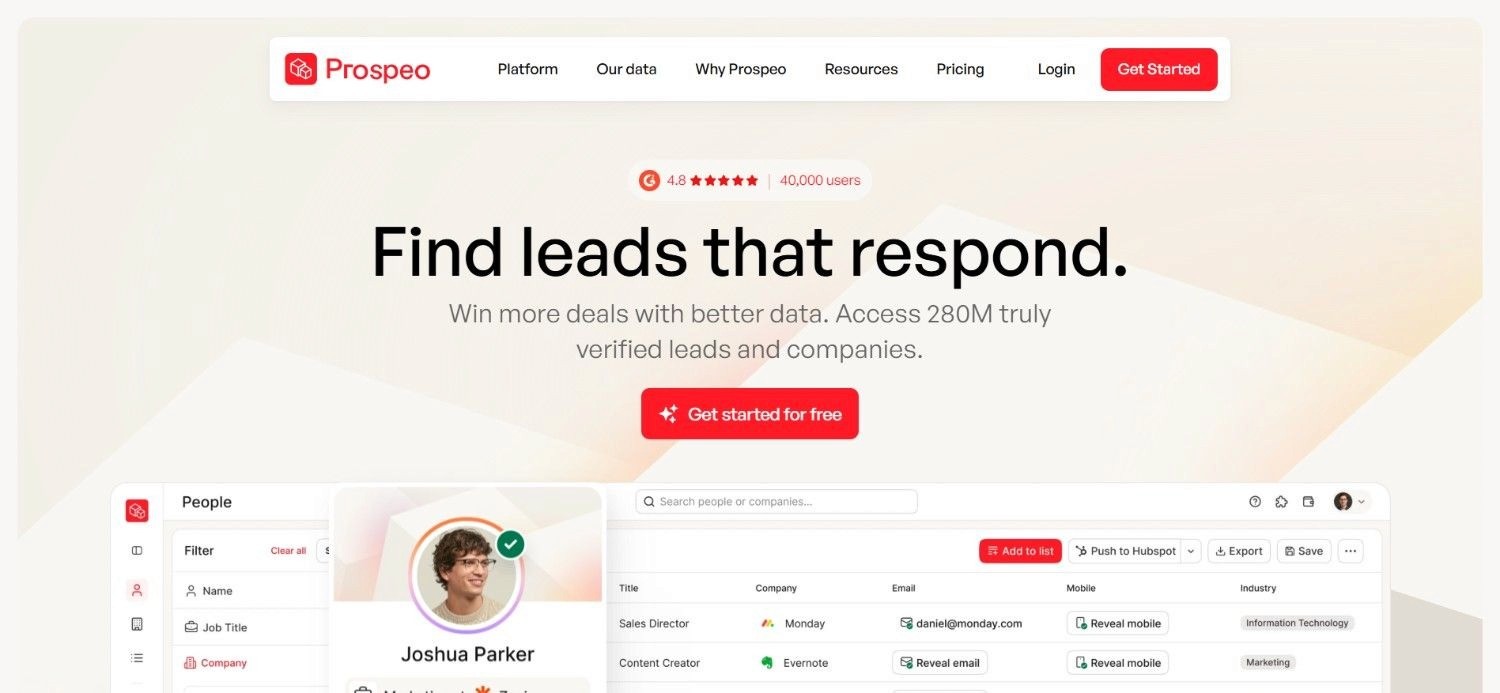
Prospeo offers mobile number enrichment alongside its broader contact data features, positioned around a tiered pricing model that scales with team size. It sits between lighter, single-purpose tools and the larger enterprise platforms on this list.
Paid plans unlock higher annual credit allowances, additional search filters, and CRM features as teams move up tiers, with unused credits rolling over rather than expiring at the end of the billing cycle.
Prospeo also includes analytics on enrichment activity, giving RevOps visibility into how much of a list actually returns usable B2B phone number data before it reaches outbound.
Ideal For
Teams that want per-user pricing tied closely to team size
RevOps teams whose enrichment volume varies month to month
Teams that want analytics on how well their lists enrich
Top Features
Mobile number enrichment with additional search filters on paid tiers
Credit rollover for unused monthly allowances
Built-in analytics on enrichment performance
Why It Stands Out
Prospeo's credit rollover is a meaningful difference from flat monthly-credit tools, since it protects teams whose enrichment needs fluctuate from quarter to quarter.
Pros
Free plan available to test before committing to a paid tier
Credit rollover reduces waste on variable monthly volume
Analytics help teams track enrichment quality over time
Cons
Per-user pricing can add up quickly for larger teams
Higher tiers required to unlock CRM features some teams need immediately
Less enterprise-focused than platforms built for large-scale deployments
Pricing
Prospeo offers a free plan, followed by Starter at $37 per user per month, Growth at $74 per user per month, and Pro at $187 per user per month.
Paid plans scale through higher annual credit allowances and added features.
Final Verdict
Prospeo works well for growing teams that want predictable, per-user pricing with room to scale.
Larger enterprises with heavier volume may find the per-seat model less efficient.
5. Clay
Overview
Clay approaches phone enrichment differently than most tools on this list: instead of being a single data source, it's the layer where teams build their own phone data waterfall across whichever providers they choose. Adding a phone number column pulls from multiple sources in an order the team controls.
Provider verification is built directly into that workflow, so a team can confirm whether a returned number is a direct dial, a mobile line, or a company HQ number before it reaches a rep.
Clay also connects phone enrichment to a team's broader Clay automation workflow, so a verified number can trigger the next step in a sequence without a manual handoff.
Ideal For
RevOps teams that want to build and control their own phone data waterfall
Teams that need provider verification before a number reaches a rep
Teams already using Clay for other enrichment and automation work
Top Features
Configurable phone number waterfall across multiple provider integrations
Provider verification distinguishing direct dial, mobile, and HQ numbers
Native connection to broader Clay automation workflows
Why It Stands Out
Clay's phone number waterfall gives teams direct control over provider order, which is closer to building the logic yourself than relying on a single vendor's black-box aggregation.
Pros
Full control over which providers get queried and in what order
Built-in verification separates direct dial, mobile, and HQ numbers
Fits naturally into a broader automation workflow beyond just phone data
Cons
Requires more manual setup than an out-of-the-box tool
Credit costs from underlying providers still apply on top of Clay's own pricing
Best suited to teams comfortable configuring workflows themselves
Pricing
Clay offers a free plan, with paid plans starting at $167 per month for Launch and $446 per month for Growth. Enterprise pricing is custom.
Plans scale based on annual actions and data credits.
Final Verdict
Clay is the strongest option for teams that want to build and own their phone number waterfall rather than depend on one provider's coverage.
Teams wanting a simpler, single-vendor setup may prefer a more turnkey tool.
6. ContactOut
Overview
ContactOut has built a reputation for finding contact data other providers miss, particularly for people who don't show up cleanly in standard B2B databases. Its phone lookup pairs with email search, so a single query can return both in one pass.
That strength shows up most clearly on hard-to-find contacts. One comparison focused on locating owners of high-profile buildings, a category where public data runs thin. In such a scenario, ContactOut turned out to be the most accurate provider tested.
For teams whose direct dial providers keep missing the same handful of hard contacts, ContactOut is worth testing specifically on those gaps rather than as a full database replacement.
Ideal For
Teams chasing niche or low-visibility contacts that general databases miss
Recruiters and researchers needing both email and phone in one lookup
Teams that want to test coverage on specific hard-to-find segments
Top Features
Combined email and phone lookup in a single search
Strong performance on niche or hard-to-find contact types
Unlimited lookups included on paid plans
Why It Stands Out
ContactOut's strength on hard-to-find contacts, verified in independent testing against high-profile property owners, sets it apart from providers optimized purely for broad coverage.
Pros
Performs well on contacts that standard databases miss
Combines email and phone lookup in one workflow
Unlimited usage on paid plans avoids per-lookup anxiety
Cons
Broad, high-volume coverage is less proven than niche-contact performance
Team and API pricing requires a custom conversation
Best used alongside another provider rather than as a sole source
Pricing
ContactOut offers a free plan, while paid plans list Email at $49 per month and Email plus Phone at $99 per month, both including unlimited lookups.
Team and API pricing is custom.
Final Verdict
ContactOut earns its place on this list specifically for hard-to-find contacts, backed by real testing rather than a marketing claim.
Teams needing broad, high-volume coverage should pair it with a larger database.
7. Lusha
Overview
Lusha built its reputation as a browser extension that pulls direct dials and mobile numbers straight from LinkedIn and Salesforce profiles, without requiring a rep to leave the page they're already on. That workflow made it a common pick for SDRs doing manual prospecting rather than bulk list enrichment.
Beyond the extension, Lusha adds buying intent data on top of contact records, which helps reps prioritize who to call rather than just who they can reach.
Lusha's coverage overlaps with several other tools on this list, but its extension-first workflow and intent layer make the tool a natural fit for reps working contacts individually rather than through a bulk enrichment pass.
Ideal For
SDRs who prospect manually and want data without leaving LinkedIn
Teams that want buying intent data layered on top of contact records
RevOps teams pulling Lusha data into a broader waterfall through API access
Top Features
Browser extension for LinkedIn and Salesforce lookups
Buying intent data layered on top of direct dials and mobile numbers
API access on higher tiers for programmatic enrichment
Why It Stands Out
Lusha's extension-first workflow fits how individual reps actually prospect day to day, which sets it apart from tools built primarily around bulk list processing.
Pros
Fast, in-browser lookups without switching tools
Intent data helps prioritize which contacts to call first
Free plan available to test before committing to credits
Cons
Best suited to individual lookups rather than large bulk enrichment
Higher tiers required for API access and advanced features
Credit costs can add up for teams enriching at high volume
Pricing
Lusha offers a free plan, with paid plans starting at $32.45 per month for Starter, $45.45 per month for Pro, and $259.95 per month for Premium. The Scale plan uses custom pricing.
Plans vary by credits, seats, API access, and buying intent data.
Final Verdict
Lusha is a strong fit for reps who prospect manually and want intent data alongside contact info.
Teams focused on bulk enrichment will likely get more value from a waterfall-based tool instead.
8. Firmable

Overview
Firmable focuses on regions that general-purpose providers tend to cover thinly, with Australia as its strongest market. As more teams sell outside the US, regional gaps in direct dial providers become a real problem, and Firmable is built specifically to close that gap for Australian contacts.
The platform includes annual profile credits scaled to team size, along with API access for teams that want to pull data directly into their own systems rather than working through a manual interface.
Firmable is a strong example of a pattern likely to repeat elsewhere: as more regions mature, LATAM, APAC, and EMEA are likely to develop their own best-in-region providers the way Firmable has for Australia.
Ideal For
Teams selling into Australia who need region-specific coverage
RevOps teams that want API access for automated workflows
Global teams supplementing a general provider with regional specialists
Top Features
Region-specific coverage focused on the Australian market
Annual profile credits that scale with team size
API access for direct integration into existing systems
Why It Stands Out
Firmable's regional focus fills a gap that broader B2B phone number data providers tend to leave thin, making it a useful supplement rather than a full replacement.
Pros
Strong regional coverage where general providers fall short
API access supports automated enrichment workflows
SSO available on Enterprise for larger teams
Cons
Narrower geographic focus than global providers
Less useful for teams selling primarily inside the US
Profile credit limits require planning around annual usage
Pricing
Annual pricing starts at $55 per user per month for Individual, followed by $75 for Small Teams, $110 for Teams Pro, and $170 for Enterprise.
Plans include 1,200 to 6,000 annual profiles, while Enterprise adds custom credits and API access.
Final Verdict
Firmable is a smart addition for any team selling into Australia specifically.
Teams without a regional focus will get more value from a broader provider instead.
9. LeadMagic
Overview
LeadMagic offers phone and contact enrichment built around fixed annual credit allowances rather than open-ended per-lookup billing. That structure gives RevOps a clear sense of how many contacts a plan supports over a full year, rather than tracking usage month to month.
The platform fits teams that already know roughly how much B2B phone number data they need and want that volume locked in ahead of time. Enrichment runs through the same credit pool whether a lookup returns a direct dial, mobile number, or email.
LeadMagic doesn't compete on niche coverage the way ContactOut does. Instead, it focuses on giving teams a predictable allowance they can plan a full year of contact phone enrichment around.
Ideal For
Teams that want predictable, annual credit-based pricing
RevOps teams that can forecast yearly enrichment volume in advance
Budget-conscious teams that benefit from annual billing discounts
Top Features
Tiered annual credit allowances across three plan levels
Two months free when billed annually instead of monthly
Straightforward pricing without usage-based surprises
Why It Stands Out
LeadMagic's annual credit model gives teams cost certainty that monthly, usage-based pricing doesn't offer, which matters most for teams operating on a fixed budget.
Pros
Predictable annual pricing simplifies budgeting
Meaningful discount for committing to annual billing
Credit tiers scale cleanly from small to larger teams
Cons
Less flexible for teams with unpredictable monthly volume
Committing annually is a bigger decision than a monthly plan
Niche coverage is less proven than more established competitors
Pricing
Annual pricing starts at $41 per month for Basic, $83 per month for Essential, and $208 per month for Growth, billed at $490, $990, and $2,490 per year.
These include 24,000, 60,000, and 240,000 annual credits, with annual billing providing 2 months free.
Final Verdict
LeadMagic is a good fit for teams that want annual cost certainty over monthly flexibility.
Teams with unpredictable volume may prefer a tool with more usage-based pricing instead.
10. TitanX
Overview
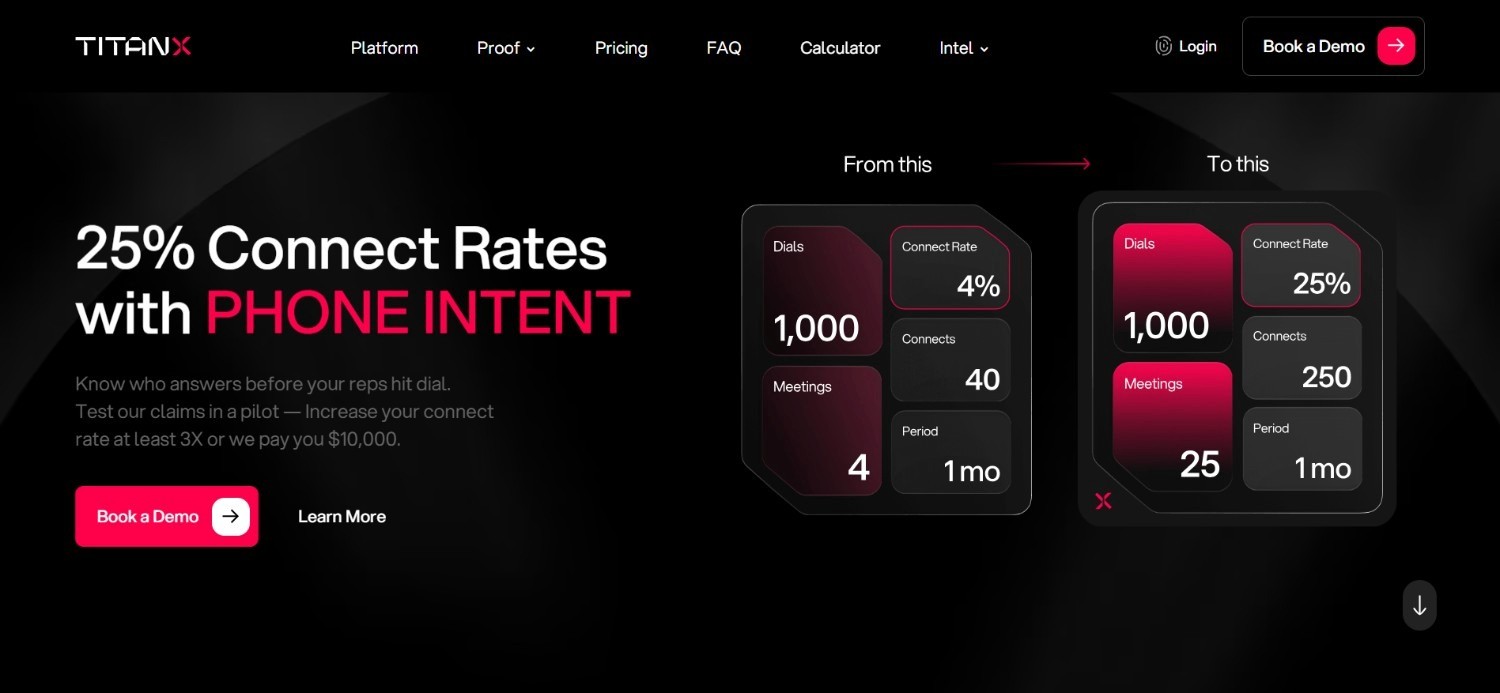
TitanX takes a different angle from most phone enrichment tools on this list: instead of optimizing purely for coverage, it focuses on identifying which numbers are actually likely to get answered. That distinction matters for teams whose real bottleneck isn't finding a number, but getting someone to pick up.
Pricing runs on an impact-based, credit model rather than a flat seat count, with packages built around each company's specific data needs and call targets. That structure fits teams that want pricing tied to outcomes rather than a generic per-user rate.
TitanX is newer than most competitors on this list, so its track record is still developing.
Ideal For
Teams whose bottleneck is answer rate, not just number coverage
Organizations that want pricing tied to outcomes rather than seats
Teams willing to pilot a newer provider before committing long-term
Top Features
Focus on likelihood-to-answer rather than raw number coverage
Impact-based, credit-driven pricing model
Custom packages built around specific data requirements
Why It Stands Out
TitanX's focus on answer likelihood, rather than just returning any available number, addresses a problem most best direct dial data providers don't optimize for directly.
Pros
Outcome-focused pricing model ties cost to actual impact
Paid pilot lets teams test fit before a full commitment
Custom packages scale from SMB to enterprise targets
Cons
Newer entrant with a less established public track record
No published pricing makes upfront budgeting harder
Answer-rate focus may matter less for teams prioritizing volume
Pricing
TitanX does not publish fixed pricing. It uses impact-based, credit-based pricing rather than charging by seat, with packages customized around each company's data requirements and targets.
It also offers a 30-day paid pilot, with plans tailored from SMBs to enterprise sales teams.
Final Verdict
TitanX is worth piloting for teams where answer rate matters more than raw coverage.
Teams that need a longer track record before committing should watch this space as it matures.
How to Choose the Best Phone Enrichment Tools (What To Consider)?
With 10 tools and very different pricing models to weigh, a few practical factors make the decision easier.
Here's what to check before choosing:
1. Qualify Before You Enrich
Phone data is the most expensive enrichment type on most stacks, so confirm the account and contact are worth pursuing before spending credits on a number.
This single step avoids the most common waste in any enrichment budget.
2. Use the Triangulation Principle
Most providers return better matches with more input data: a LinkedIn URL, full name, company domain, and country all help confirm the right person.
The LinkedIn URL in particular tells a provider where someone works now and where they worked before, which helps validate the rest.
3. Check How Each Provider Verifies Number Type
A returned number could be a direct dial, a mobile line, or a company HQ number, and the difference matters for how a rep should use it.
Tools like Clay show that verification directly, while others may require testing before you know which type you're working with.
4. Match Provider Strength to Region
General-purpose providers cover the US well but often thin out elsewhere, which is where regional specialists like Firmable close the gap.
Teams selling into Australia, LATAM, APAC, or EMEA should expect to pair a broad provider with a regional one for better B2B phone number data coverage.
5. Compare Credit Economics, Not Just the Sticker Price
Entry pricing across this comparison ranges from about $15 per month to five figures per year, but the real comparison is cost per verified number.
A cheaper plan with a low hit rate can cost more per usable contact than a pricier tool with better accuracy.
6. Build a Waterfall Instead of Relying on One Source
Reordering providers based on which API keys you already hold, and which providers you trust most for a given market, tends to beat any single tool used alone.
Teams already running enrichment through Clay can extend that logic to email enrichment tools and broader data enrichment tools using the same waterfall approach.
Everything You Need to Know About Phone Enrichment Tools
Tool | Pros | Cons | Ease of Use | Integrations | Support | Affordability |
BetterContact | Aggregated waterfall, bulk processing, free trial credits | Less provider control, depends on underlying data, costlier at scale | ⭐⭐⭐⭐ | ⭐⭐⭐ | ⭐⭐⭐ | ⭐⭐⭐⭐ |
ZoomInfo | Deep CRM integration, enterprise-ready SSO, broad coverage | Refresh rate lags, custom pricing, overkill for small teams | ⭐⭐⭐⭐ | ⭐⭐⭐⭐⭐ | ⭐⭐⭐⭐ | ⭐⭐ |
Apollo.io | Bundled enrichment and outbound, lower cost per seat, Chrome extension | Broad over accurate, add-ons cost extra, less niche depth | ⭐⭐⭐⭐ | ⭐⭐⭐⭐ | ⭐⭐⭐ | ⭐⭐⭐⭐ |
Prospeo | Free plan, credit rollover, built-in analytics | Per-user cost adds up, CRM features gated, less enterprise-focused | ⭐⭐⭐⭐ | ⭐⭐⭐ | ⭐⭐⭐ | ⭐⭐⭐⭐ |
Clay | Full provider control, verification built in, connects to automation | More manual setup, provider credits extra, needs configuration skill | ⭐⭐⭐ | ⭐⭐⭐⭐⭐ | ⭐⭐⭐⭐ | ⭐⭐⭐ |
ContactOut | Strong on niche contacts, unlimited paid usage, combined lookup | Broad coverage less proven, custom team pricing, best paired with another tool | ⭐⭐⭐⭐ | ⭐⭐⭐ | ⭐⭐⭐ | ⭐⭐⭐⭐ |
Lusha | Fast in-browser lookups, intent data, free plan to test | Best for individual lookups, API gated to higher tiers, credits add up | ⭐⭐⭐⭐⭐ | ⭐⭐⭐ | ⭐⭐⭐ | ⭐⭐⭐ |
Firmable | Strong regional coverage, API access, SSO on Enterprise | Narrow geographic focus, less useful in the US, credit limits | ⭐⭐⭐⭐ | ⭐⭐⭐ | ⭐⭐⭐ | ⭐⭐⭐ |
LeadMagic | Predictable pricing, annual discount, clean tier scaling | Less flexible monthly, annual commitment, unproven niche coverage | ⭐⭐⭐⭐ | ⭐⭐⭐ | ⭐⭐⭐ | ⭐⭐⭐⭐ |
TitanX | Outcome-based pricing, paid pilot option, custom packages | Newer track record, no published pricing, niche focus on answer rate | ⭐⭐⭐ | ⭐⭐⭐ | ⭐⭐⭐ | ⭐⭐⭐ |
Automate Phone Enrichment & Launch Your Outbound with The GTM Engineering Company
Most teams don't need every provider on this list; they need one waterfall configured correctly, feeding clean phone data into a CRM that already tells reps who's worth calling. That's the kind of build The GTM Engineering Company does inside every engagement.
We configure phone number waterfalls directly inside Clay, order providers based on API keys already in place, and connect verified numbers to the rest of a client's enrichment and outbound workflow. Every workflow ships with a Loom walkthrough and a written SOP, so your team can run and adjust it even after the engagement ends.
On top of that, every engagement starts with a CRM audit included in the retainer. By day 30, you can expect a documented punch list and at least one qualified signal live in your CRM.
Request a 30-day audit with us today
FAQs About Phone Enrichment Tools
What are the best phone enrichment tools in 2026?
The best phone enrichment tools depend on your team's size and use case. BetterContact leads for aggregated waterfall coverage, ZoomInfo remains the strongest enterprise pick with CRM integration and SSO already built in, and ContactOut stands out specifically for hard-to-find contacts. Clay is the top choice for teams that want to build and control their own waterfall.
What should I consider when choosing the right phone enrichment tools for me?
You should consider how each provider verifies direct dial versus mobile versus HQ numbers, whether coverage extends into your target regions, and how credit-based pricing lines up with your actual monthly volume. Feeding a provider more data, like a LinkedIn URL, full name, and company domain, generally improves match accuracy. Qualifying accounts and contacts before enriching also avoids wasted spend.
How does The GTM Engineering Company differ from a phone enrichment tool?
The GTM Engineering Company is not a phone enrichment tool; it is the team that configures the waterfall, verification logic, and CRM connections around the tools you choose. Most providers on this list still require someone to set up provider order, credit routing, and downstream automation. The GTM Engineering Company builds and documents that system directly inside Clay, HubSpot, or Salesforce.
How do I get started working with The GTM Engineering Company?
Getting started begins with a 30-minute call to review your current enrichment stack and phone data setup. From there, engagements run as 3- or 6-month retainers with weekly working sessions, starting with a CRM audit already included in the cost. Every workflow ships with a Loom walkthrough and a written SOP.
Why is contact phone enrichment more expensive than email enrichment?
Contact phone enrichment costs more because verified phone numbers, especially mobile lines, are harder to source and confirm than email addresses. Providers often need to cross-reference multiple sources just to distinguish a direct dial from an outdated company line. That higher cost per record is exactly why qualifying a lead first, before spending on phone data, matters more here than for most other enrichment types.
What is a phone data waterfall, and why build one instead of using a single provider?
A phone data waterfall queries multiple providers in sequence for the same contact, using each miss as a reason to try the next source. Building one instead of relying on a single provider improves hit rate, since no database covers every region or contact type equally well. Tools like Clay let teams control that order directly, while BetterContact runs a similar waterfall internally.
How does the triangulation principle improve mobile number enrichment accuracy?
The triangulation principle improves mobile number enrichment accuracy by feeding a provider more confirming data points instead of one identifier. A LinkedIn URL alone tells a provider where someone works now and worked before, and adding a full name, company domain, and country lets it cross-check that context. The more data points a model receives, the more confident the resulting match tends to be.